- "What is the best way to learn how to code?"
- "How to become a programmer"
- "How to build an application"
These are common questions asked every day by beginners who want to learn how to code. No doubt, you have already searched along these lines and read enough articles/answers to the point where you are tired of the "standard" advice.
Here is the article series I prepared for those looking for a short and rather meaningless answer (I'll give an SEO-friendly clickbait): "3 Steps to Becoming a Programmer":
Step 1: Choose a Language
Step 2: Learn the Language
Step 3: Build Things and Keep Learning
I would have liked to say that there is one size that fits all methods to learn how to code, but really there isn't. (Let me also add Step 0: accept that everyone learns differently).
There are countless more detailed answers explaining Steps 1 and 2 in detail already on the web, but the common answer for the first step is to learn Python or Ruby as your first language (don't get too hung up on the language, you'll never start). If you need learning resources, I have prepared a few topics you can check:
- Python
- Ruby on Rails
- Learn JavaScript (always learn JavaScript before learning frameworks like AngularJS or React)
- iOS Development
- Android Development
Many of you will reach this point:
If you are experiencing the moment when you have become a lost sheep, don't be afraid you are not alone.
Almost when you ask "how do I become a programmer," developers will tell you to build something, because building things is how you can develop as a programmer and is the best way to learn, etc. etc.
But how can you build your own application?
You can always follow existing tutorials on how to build clones like Twitter / Pinterest / Instagram with the language and technology you are using. But at this stage I want you to see that the tutorials really do most of the work for you, and don't forget that the only thing you need to do is understand the code and its logic.
This article will try to provide an outline you can follow when building your own application from scratch.
Prerequisites
Most applications will need a database, so if you are going to build your own application yourself (covering both front-end and back-end), you probably need to know a database query language (usually SQL). Unless, for example, you are not building something that does not need to interact with a database like Flappy Bird.
Furthermore, if you want to build a web application, you need to know some basic DevOps to be able to set up your development environment/server and actually launch the application.
If you only aim to be a front-end web developer, you can develop your HTML, CSS, and JavaScript skills on Codepen or JSfiddle. If you only know JavaScript and don't want to learn another language, you can try Node.js as it is a JavaScript platform for back-end development (you can also use MongoDB as your database since it is also based on JavaScript.)
Otherwise, if you want to build a complete web application, you need to know one of the following languages (and usually a web framework):
- Ruby
- Python
- PHP
- Java
- Go
- C#
If you want to build games, you can consider learning Lua, but C# with the Unity 3D game engine and its huge community is a very good choice. As for native mobile application development, you need to know Swift / Objective-C for iOS development and Java for Android development.
Without further ado, let's look at how to build an application from scratch.
Step 0: Understand Yourself
First and foremost, build something you are passionate about. Interest is the best way to motivate yourself, so ask yourself what you care about or what you enjoy doing.
For example:
- Which applications do you enjoy using the most?
- Which applications can you not live without?
- Do you like playing games?
- Do you enjoy designing things?
Etc. Identify your interests so you can work on something you will enjoy. This way, you are less likely to go out and quit halfway through.
Step 1: Pick an Idea
Now that you've hopefully figured it out, it's time to pick an idea to build. Start simple.
Yes... even if you're considering building a game, you shouldn't be thinking about building the next CounterStrike right now; instead, think about how to build games as simple as the famous Flappy Bird. Hey, don't look down on Flappy Bird, it was a sensation that allowed people all over the world to discover their inner masochists. But I digress.
So, based on your interests, find an idea for a simple application that will do something neat. It doesn't matter that the application already exists (in fact, it can help you if similar projects already exist).
Some pointers to help you get inspired:
- If you like cooking, maybe consider building an application for people to showcase their homemade recipes.
- If you've always wanted to know how Twitter works, try building a super simple Twitter clone.
- If you're a forgetful person who relies on task managers, try building one yourself.
- If you're addicted to League of Legends, you can try examining Riot's API and create a site that can fetch and display game information.
- If you enjoy playing card games, try building a simple one (e.g. Black Jack).
- If you're on a diet, try building an application that records your calorie intake.
And so on. If you need more inspiration, here is a list of project ideas. After making a routing, note in one sentence the purpose and, if applicable, the most important target users for that application.
For example: a pet adoption application for people to take in stray animals.
Step 2: Define Core Functions
Think about what your application should be able to do and list them. If you end up listing a bunch of things, take a closer look and ask yourself if this application REALLY needs, for example, Facebook login to work. Does it REALLY need to upload data to some cloud to work?
It's great to have a dream project with great features, but right now what matters is not building something complete with lots of great features. Remember that no application is complete and everything starts simple.
Never try to build an all-in-one device application. Don't go there. I've seen it even in a professional environment, and the result is too much pain and little progress.
Unless you have an iron will or really love challenges, if the construction of your first project is too difficult, you will be disappointed and discouraged. You're a beginner... the main thing is to have fun. Fun is the most effective way of learning.
Therefore, look at the list of functions you've made, and if it's too long, start passing over the functions that your application can do without.
Remember, this is version 1 and it just needs to be kept simple. Focus on things that will let the application accomplish everything it needs to do; everything else can be left for a different project.
For an example list of core functions for a Reddit clone:
- users can create an account
- users can recover lost passwords
- users can change their passwords
- users can submit new links
- users can comment on links
- users can up/down vote links
- users have a profile that shows their history/activity
The features listed above are the basic functions you should focus on first.
Other features such as:
- users can share on social media
- users can delete comments
- users can edit comments
- users can delete their own accounts
are secondary and can be saved for version 1.x; only work on these when you can really launch version 1.0.
Step 3: Sketch Your Application
There's nothing faster than pen and paper. By now, you should have a fairly solid idea of what your application should do, so draw a wireframe of your application's user interface (UI). Where the buttons should be located, what the purpose of that button is, etc.
Write notes and specify how the application should work. You're still in the brainstorming phase, so change things until you're somewhat satisfied.
Remember, keep things simple. If you shortened your list from step 2, only stick to the sketch functions listed here; don't get carried away. If you can't help yourself, draw 2 versions: a basic version and the final version of your dreams.
After all, this is not the final view, just a step that will help you get a tighter grasp of your application.
Step 4: Plan Your Application's UI Flow
Alright. You have a good idea of what your application will look like, what each element should do, and how users can interact with your application. Now it's time to figure out your application's user interface flow. That is, how a user should use your application from start to finish. Plan every step they need to take and every scenario they might encounter. Try to think of every use case.
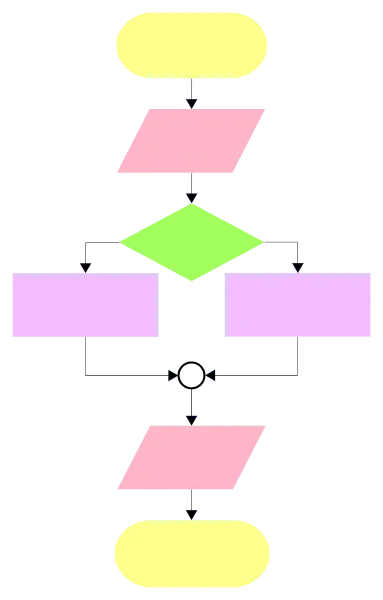
Add to the flowchart all the actions your users can take. For example, if your application requires users to log in, how do they create accounts? What happens if users forget their passwords? What if they entered the wrong password? What can the user do at each interface (add new list item > save; edit > save / delete)? And so on. This is most quickly done with a pen and paper.
Again, since your application is fairly simple, your diagram shouldn't be very large.
Step 5: Design the Database
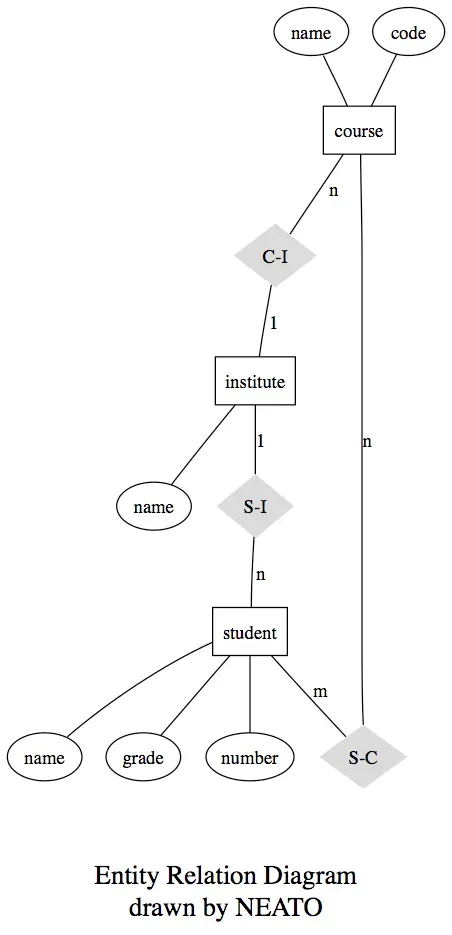
Okay! After planning every possible scenario, examine that scenario to determine what kind of data you need to keep. For example, if your application requires users to create an account, you also need to track things like username, user ID, user's email, password, whether the user's email is confirmed when the account is created, as well as whenever the user logs into your application.
If you're building a Twitter clone, you need to know the tweet's ID, the tweet's content, when the tweet was posted/retweeted, how many retweets there are, and how many stars it has. You also need to keep a record of a user's retweets and stars.
To map the data relationship, you can draw an ERM (Entity-Relationship Model) diagram.
 Advanced
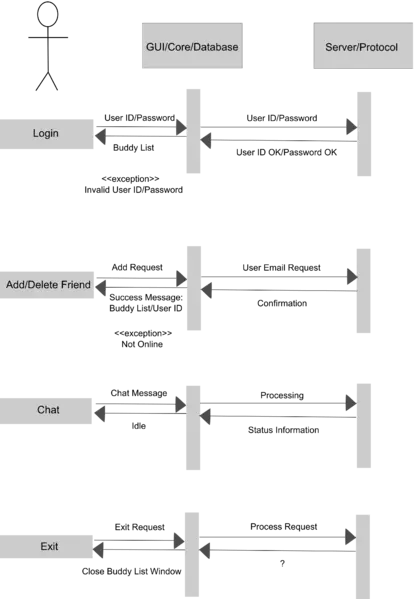
If your planned application will interact with a server (e.g., if you are building a Fullstack web application) or your application will interact with an API (e.g., if you are trying to fetch information from Yahoo! Weather), it is probably a good idea to draw a series of diagrams so that you can get a better idea of how things should work.
 Step 6: UX Wireframes
Okay, you've planned the back end. Now, it's time to plan your front end.
Hopefully you're as excited as the slaves above. You know what you need; now you have a much better idea of what your application should look like.
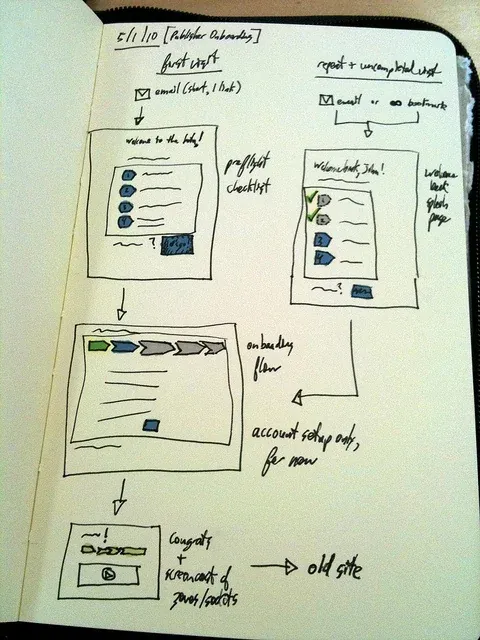
Since people are mostly visual creatures, you'll have an easier time understanding what to do if every view you'll code has a visual. However, if you're like me and your sketch is too messy, ... cough masterpiece... you can barely understand the vague piece you've created, it's naturally illogical to continue this step by abusing the artistic poor brains you've created.
Fortunately, there are many wireframe and mockup tools online to help you plan your UX/UI flow (e.g., Gliffy, Mockflow, Framebox, Wireframe.cc, Invisionapp).
Step 6.5 (Optional): Design the User Interface
This is an optional step, but if you want to specialize in front-end development or think your application will look very similar to the point where a more beautiful application will motivate you to code, definitely go ahead and design so that all those wireframe UI elements can be replaced with nicer-looking ones.
If you enjoy designing, you'll probably design the application before starting anyway - perhaps you've already designed it in step 2.
If you don't design but care about how your application will look, consider using elements from user interface kits.
However, don't get too hung up on the application's appearance. Right now you should instead focus on building an application's functions.
Step 7: Researching Solutions
Great! You've completed the planning phase... but how are you supposed to code all of this?
An important skill you need to learn as a programmer is to evaluate when you should use something another developer has written and when you should build the function yourself.
Since everyone builds a unique application, every use case is not the same. Therefore, you need to decide when to use an existing solution and when to build your own, and you'll get better at this with experience.
If you feel like a directionless boat lost in a vast ocean, take a deep breath and don't panic. You can do this.
As you gain more experience in research, developing your "Google-fu," and building things, you'll eventually get a hang of this process.
Looking at Solutions
Look at all the diagrams you've drawn and the function list you made in step 2.
What are some things you have no idea how to build?
For example, do users need to create an account? Does your application rely on real-time updates? What functions do you need?
Often, it's a good idea to use an existing solution for major functions like real-time synchronization (e.g. Firebase), networking/routing (e.g., AFNetworking for iOS apps), authentication, and UI-related components (e.g., for a flipboard or pinterest-esque application).
There are many online databases for searching for back-end-related components/packages/gems, etc., but you need to be careful when evaluating what other people have written; don't use them blindly. Hopefully you won't be building anything too complicated right now, so you probably won't need components written by other people right now.
In any case, the best way to start is to examine what other developers have done before you and learn the logic behind their decisions. GitHub is your best friend.
For a real example of an experienced developer's research process related to a specific function, you can check out this post about how the creator of Angular-Plunker built Plunker's drag and drop directives.
Choosing a Tool to Get Started
If you're building a web application, you can aim to help you start new projects quickly by checking out Yeoman to help you set up your project's structure. If you're building a web application, you can aim to help you start new projects quickly by checking out Yeoman to help you build your project's structure.
If you're building a React application, you can also check out the starter kits and existing Flux applications. HTML5Boilerplate and Bootstrap are popular front-end templates for your application. Often, boilerplates use Gulp or Grunt for task management.
Since you'll be using some existing components or solutions, you'll also need to install bower for dependency management (npm for iOS developers using Node.js and CocoaPods). Don't worry, most of the time these tools come with tutorials that will teach you how to install them.
Step 8: Building the Application
Yes! Now you're ready to build the application! Some tips to keep in mind while building your application.
Checklist
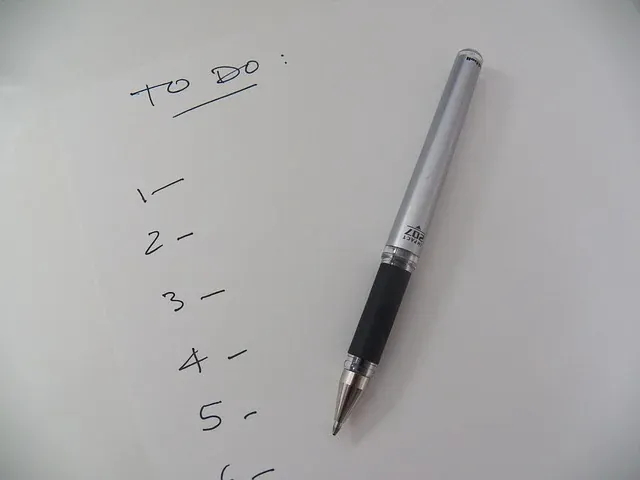
You should focus on building application function by function. So, don't suddenly start building a user profile view if you haven't completed a task like the comment system. In other words, if you're building a form, you should work on both the front-end and back-end code until the function is complete.
Consequently, to track your progress, you can write a to-do list and use it as a checklist.
Write Tests First
Unless you're building a game application, it's a good idea to write a test for your function before actually starting to code the feature. Bugs are inevitable, but testing will greatly reduce your chances of pushing your bugs and buggy code into production.
Granted, writing unit tests takes time, and sometimes you may question whether it's worth it.
Therefore, especially since you're just starting out and building something simple, it's a good idea to start small and get into the habit of doing Test Driven Development (TDD).
You no longer have a project manager's pitchfork at your back, do you?
For tips on unit testing patterns, you can check out this article. Another tip to keep in mind is to avoid asserting too much trivia.
You can choose from many testing tools such as Jasmine or Karma for JavaScript, Rspec for Ruby, PyTest for Python, PHPUnit for PHP, Quick as an alternative to xCTest for iOS development, or any tool that works for you.
Also, if you're building an iOS or Android application, it's a good idea to check out Crashlytics.
Use Git
Git is a version control system and a full-fledged repository with full history and full version tracking features. It's a good idea to start learning how to use Git when building your first application. This way, you can easily undo your mistakes, recover lost data, and more. Also, if you plan to work with a team of developers in the future, you'll still need to use git. GitHub is the most popular Git repository hosting service for open source projects, while Bitbucket is for private repositories.
If you have problems using Git, this article on The 10 Most Common Git Problems and How to Solve Them might help you.
If You Get Stuck...
As a beginner, you'll feel like this hamster more often than not.
You're not alone. Sometimes, all you need to do is take a break and let the problem simmer so you can clear your mind.
If this still doesn't work, here are some ways to unblock yourself:
Google
I mentioned Google-fu in step 7, but let me emphasize that learning how to connect to Google is an important skill that all programmers need to acquire. If you get stuck on a bug or don't know why your code isn't working, it's a good idea to Google it.
Ask on StackOverflow
You've probably noticed that your Google results will show questions and answers from StackOverflow. If you still can't find a solution to your problem after exhausting your butt, you can try posting a question on StackOverflow.
Don't forget to show that you've done your research in your question; this way you're more likely to get a response.
Alternative: Find a Mentor
Some people will say that StackOverflow is not beginner-friendly because beginners don't know how to phrase their questions. But what if you don't even know what your problem is?
If you reach the brink of headdesking (or are already headdesking), you don't have to abuse your forehead (if you bang your head hard enough, you'll lose brain cells).
A great alternative to facilitate your development and learning process is to get help from an experienced programmer. You don't have to feel somehow stupid because Person X is a famous expert and self-taught programmer. People simply learn differently, and beginners benefit from personal guidance, because you might be making mistakes that aren't very important right now but are actually a bad practice.
Remember, many self-taught developers back then didn't have the services you can use right now.
Final Tip
Programmers always make mistakes, so don't be discouraged when you can't even pass a test you've written, or when you're constantly stuck on your own. So, think of iOS9, Android Lollipop, or some applications you love using. Of course, even the most mature applications still have bugs, so don't assume you can build the most perfect, bug-free application out there (of course, this doesn't mean you should set low standards for yourself - always try to build quality applications).
In addition, it's very common for you to spend hours or even days on something and have a hard time getting it to work the way you want. If it were easy to quickly program new features, the world wouldn't need new programmers. Hell, we'd probably be using a flawless iOS100 right now and building a digitized world like in the Matrix.
So, often when people encourage you to start building things, you'll hear the term "don't be afraid to make mistakes." That's what they mean. One thing you need to accept as a programmer is that you won't be a badass coding machine that can bring features to life in a flash. You'll fail a lot, and that's okay.
Again, remember that you're a beginner, so many things will inevitably be difficult at first. You'll spend a lot of time on something you think should be simple, and it will seem like a tough uphill struggle, but as you gain more experience things will get easier. Look forward to that sense of achievement when you finally manage to build your first application, and you might even consider selling your application if you see fit.