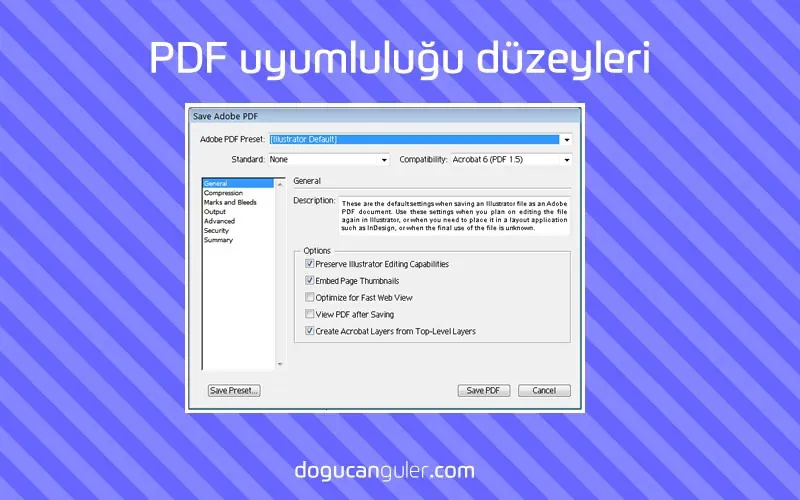
PDF Compatibility Levels — post content
2026 Update. This article was published in 2014; as of May 2026 context has been added based on current practices in Turkey's digital marketing and web technologies sector. The information below consists of practical recommendations under the Graphic Design & Tips category that remain valid in 2026.

| Acrobat 3.0 (PDF 1.3) | Acrobat 5.0 (PDF 1.4) | Acrobat 6.0 (PDF 1.5) | Acrobat 7.0 (PDF 1.6) and Acrobat X (PDF 1.7) |
|---|---|---|---|
| PDFs can be opened with Acrobat 3.0 and Acrobat Reader 3.0 and later. | PDFs can be opened with Acrobat 3.0 and Acrobat Reader 3.0 and later. However, features specific to later versions may be lost or not displayed. | Many PDFs can be opened with Acrobat 4.0 and Acrobat Reader 4.0 and later. However, certain features specific to later versions may be lost or not displayed. | Many PDFs can be opened with Acrobat 4.0 and Acrobat Reader 4.0 and later. However, certain features specific to later versions may be lost or not displayed. |
| Cannot contain images that use live transparency effects. All transparency must be flattened before converting to PDF 1.3. | Supports the use of live transparency in images. (The Acrobat Distiller feature flattens transparency.) | Supports the use of live transparency in images. (The Acrobat Distiller feature flattens transparency.) | Supports the use of live transparency in images. (The Acrobat Distiller feature flattens transparency.) |
| No layer support. | Layers are not supported. | Preserves layers when PDF is created from applications that support the creation of layered PDF documents, such as Illustrator CS and later or InDesign CS and later. | Preserves layers when PDF is created from applications that support the creation of layered PDF documents, such as Illustrator CS or later or InDesign CS or later. |
| DeviceN colour space with 8 colorants is supported. | DeviceN colour space with 8 colorants is supported. | DeviceN colour space with up to 31 colorants is supported. | DeviceN colour space with up to 31 colorants is supported. |
| Multibyte fonts can be embedded. (Distiller converts fonts during embedding.) | Multibyte fonts can be embedded. | Multibyte fonts can be embedded. | Multibyte fonts can be embedded. |
| 40-bit RC4 security is supported. | 128-bit RC4 security is supported. | 128-bit RC4 security is supported. | 128-bit RC4 and 128-bit AES (Advanced Encryption Standard) security are supported. |
Why this topic matters in 2026
In Turkey, the graphic design & tips field went through three core shifts between 2024-2026: (1) mobile-first user behaviour reached 78% of the market, (2) AI-powered content production and analysis tools entered the mainstream, (3) with KVKK, e-Commerce 2.0 and Turkish Lira improvements, the cost/impact balance of digital presence for SMBs has fundamentally changed. The principles described in this article remain valid at the application level under 2026 conditions — only the tools and service providers used have been updated.
Quick checklist for 2026
- Mobile-first: Test design and content architecture first at 390-430px screen width; desktop is secondary.
- Performance budget: LCP < 2.0s, CLS < 0.05, INP < 150ms — Core Web Vitals 2026 thresholds have tightened.
- AI integration: Embed Claude/GPT-4 class assistants for content production, image optimisation and customer support; not as one-off prompts but as a workflow.
- Legal compliance: KVKK clarification text, cookie consent (TCF v2.2), email opt-in must be double opt-in (DOI).
- Measurement: The trio of GA4 + Meta Conversion API + server-side tracking is now standard; GA4 alone is insufficient.
- Branding: Rather than a single logo, dynamic brand systems (colour, typography, motion) are standing out on social channels.
Next step
To apply the topic of this article to your own project, you can request a free site analysis, send a brief directly, or schedule a one-on-one meeting. I respond to all evaluations within 2 business days, in a KVKK-compliant manner.
The article was first published on 31 Oct 2014, and was revised on 03 May 2026 to reflect 2026 conditions.