
The 10 Most Used WordPress Plugins of 2026 — post content
10 "Must-Have" Premium Plugins That Will Rocket Your WordPress Site
WordPress is undoubtedly the most powerful and flexible content management system in the world. However, its true power lies not in its core structure, but in the vast plugin ecosystem that takes it to almost limitless potential. When you want to add a new feature to your site, change its design, increase its security, or develop your marketing capabilities, there is probably a plugin developed for it. While free plugins are a great starting point, when you want to take your project to the next level, add a professional touch to it, and stand out from your competitors, premium (paid) plugins come into play.
Premium plugins generally offer more advanced features, a more stable code structure, regular updates, and most importantly, a professional technical support team that stands behind you when you experience a problem. You can think of them like taking a standard car and adding a turbocharger, better suspension, and a luxury interior. Is this an investment? Absolutely. So, when made on the right plugins, does this investment more than pay off? Have no doubt about it.
With tens of thousands of premium plugins on the market, it can be difficult to know which ones are truly worth your investment and will provide the greatest contribution to your site. That is why we have examined in depth, for you, those 10 "must-have" premium plugins that have been sold millions of times on platforms like CodeCanyon, have been developed for years, are most loved by the community, and whose name every WordPress site owner has heard at least once. From page builders to sliders, from marketing tools to design assistants, if you are ready to meet these superheroes that will fully unleash your site's potential, let's begin.
1. WPBakery Page Builder (Formerly Known as Visual Composer)

What Does It Do? WPBakery is a page builder plugin that allows you to create complex page layouts on your WordPress site without writing a single line of code, completely through a visual interface and drag-and-drop method. It removes the limitations of the traditional WordPress editor and gives you the freedom to create the design of your dreams.
Why Is It So Popular? WPBakery is one of the pioneers in this field and has held the title of best-selling WordPress plugin for years. The biggest reason for its popularity is that it comes "free" with thousands of premium themes. This situation has brought it to an incredibly broad user base. It has a flexible structure that allows you to perform live editing on the front-end of your site as well as work in blocks on the backend. It contains dozens of ready-made elements such as text blocks, image galleries, buttons, and tabs, and these elements can be expanded further with third-party plugins like "Ultimate Addons for WPBakery."
Ideal For? It is ideal for WordPress users of all levels who do not have coding knowledge and want to design professional-looking pages quickly. Especially if it came with the theme you purchased, it allows you to easily create pages that look exactly like your site's demo.
2. Slider Revolution
What Does It Do? Slider Revolution, living up to its name, is a plugin that has created a revolution in the concept of "slider." It is not just a simple tool that displays images one after another, but also a powerful visual editor that allows you to create full-screen presentations with eye-catching animations enriched with text, buttons, videos, and layers.
Why Is It So Popular? Its flexibility and the limitless creative potential it offers have carried Slider Revolution to the top of the bestseller list. Thanks to its user-friendly visual editor, you can control down to the finest detail when, how, and with what animation each layer will appear on screen on the timeline. Thanks to its hundreds of ready-made templates, even when you have difficulty finding inspiration, you can create a professional slider in seconds. Its fully responsive structure ensures that these complex animations you create look flawless even on mobile devices.
Ideal For? It is indispensable for anyone who wants to create an impressive, dynamic, and attention-grabbing "hero" section on the homepage or landing pages of websites. It is perfect for agencies, portfolio sites, and e-commerce sites that want to showcase their products in a striking way.
3. LayerSlider
What Does It Do? LayerSlider, just like Slider Revolution, is another powerful WordPress plugin that allows you to create multi-layered and animated sliders, galleries, and presentations. It works on a similar logic and offers users a visual drag-and-drop editor.
Why Is It Popular? LayerSlider has emerged as a strong competitor to Slider Revolution and is generally praised for its performance and ease of use. Some users find its interface more intuitive and less complex than Slider Revolution. It also offers a wide template library, hundreds of transition effects, and powerful animation capabilities. It is generally offered as an alternative alongside Slider Revolution in premium themes. The choice mostly depends on personal preference and habit.
Ideal For? It is a great option for users who are looking for an alternative to Slider Revolution, perhaps prefer a slightly simpler interface, and still want to create extremely professional and animated sliders.
4. Ultimate Addons for WPBakery Page Builder

What Does It Do? This plugin is not a standalone page builder. It is an "add-on package" for WPBakery Page Builder. In addition to WPBakery's standard elements, it adds dozens of new and creative elements such as animated texts, advanced buttons, counters, interactive banners, timelines, and much more to your page builder.
Why Is It Popular? Because it transforms WPBakery from a basic tool into a powerhouse with limitless design potential. It allows you to easily create more dynamic and more interactive designs that you cannot create with standard elements. The "Ultimate Addons" package in particular is one of the most popular and most comprehensive solutions in this field.
Ideal For? It is almost a must-have plugin for all users who use WPBakery Page Builder and seek more creativity and flexibility in their designs.
5. Essential Grid

What Does It Do? Essential Grid is a plugin that allows you to showcase almost any kind of content on your website (blog posts, portfolio items, WooCommerce products, images, videos) in fully customizable and responsive grid layouts.
Why Is It Popular? It offers visual flexibility far beyond standard WordPress blog or portfolio layouts. You can choose between different layouts such as Masonry, cobbles, or flat grid, and control down to the finest detail the animations, colors, and information that will appear when hovering over each grid item. Powerful filtering and sorting options allow users to easily find the content they are looking for. It is a perfect tool for making a visually rich and organized presentation.
Ideal For? It is great for photographers, designers, and agencies who want to showcase their portfolios; publishers who want to present their blog posts in a modern layout; and e-commerce sites that want to display their products in categorized form.
6. UberMenu - WordPress Mega Menu Plugin
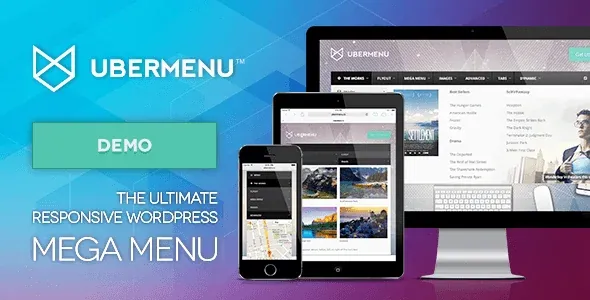
What Does It Do? UberMenu is a plugin that transforms standard WordPress menus into multi-column, rich-content, and fully responsive "mega menus" that can include images, icons, shortcodes, widgets, and even maps.
Why Is It Popular? Especially for websites with a lot of content or product categories, it makes it incredibly easy for users to find what they are looking for. Unlike a traditional dropdown menu, it presents all subcategories in a single wide panel in a visually organized way. With its drag-and-drop interface and hundreds of customization options, it allows you to create extremely functional menus that perfectly match your brand's identity.
Ideal For? It is a plugin that significantly improves user experience (UX) for large e-commerce sites, news portals, corporate websites, and any site with many pages or categories.
7. ConvertPlug (Now Known as Convert Pro)

What Does It Do? ConvertPlug (now Convert Pro) is a "lead generation" plugin designed to convert your visitors into email subscribers or customers. It allows you to create attention-grabbing pop-ups, slide-in bars, full-screen forms, and inline forms on your site that show the right message at the right time.
Why Is It Popular? It is a proven method for increasing conversion rates. Thanks to "Exit-Intent" technology, you can show a pop-up offering a special discount or an e-book offer to a visitor who is about to leave your site. It is equipped with features such as a visual editor, A/B testing capability, and integration with all major email marketing services like MailChimp and HubSpot. This can be one of the cornerstones of your marketing automation strategy.
Ideal For? It is an indispensable marketing tool for all businesses and bloggers who want to grow their email list, offer special deals, promote webinars, or increase their sales.
8. Yellow Pencil: Visual CSS Style Editor
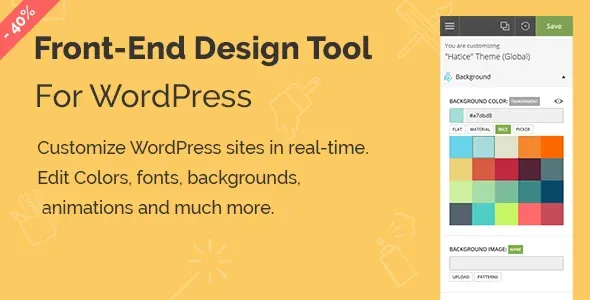
What Does It Do? Yellow Pencil is a "live style editor" that allows you to edit the appearance of your WordPress site completely visually, without writing a single line of CSS code. By working on the front-end of your site, it allows you to click on any element (heading, button, text, etc.) and instantly change its color, size, font, spacing, and dozens of other properties.
Why Is It Popular? Because it is like a "superpower" for users who do not know CSS. It allows you to easily customize even that small detail that your theme or a plugin cannot change. You see your changes live, and this eliminates the trial-and-error process. For designers and developers, it is a great time-saving tool for creating quick prototypes and automatically generating CSS code.
Ideal For? It is a perfect solution for all WordPress users who want to have full control over the site's design but do not want to deal with CSS code.
9. Instagram Feed (Smash Balloon)

What Does It Do? This plugin (the most popular version on the market is developed by Smash Balloon) allows you to display posts from your Instagram account directly on your WordPress site, in fully customizable and stylish galleries.
Why Is It Popular? It is a great way to build social proof and keep your website current with fresh content. By presenting your visually appealing content from Instagram to your website's visitors, you can encourage them to follow your Instagram account. You can create feeds from multiple accounts, specific hashtags, or posts you have been tagged in. You can fully control the layout, colors, and information displayed (likes, comment counts, etc.).
Ideal For? It is essential for brands, e-commerce sites, photographers, restaurants, and anyone with a strong visual presence who places Instagram at the center of their marketing strategy.
10. WooCommerce Amazon Affiliates (WZone)

What Does It Do? This plugin is a revolution designed for those who want to make money using Amazon's affiliate program. It allows you to import products from Amazon to your own WooCommerce site with a single click, along with all images, descriptions, and features. When a customer clicks the "Buy" button on your site, they are redirected to Amazon with your unique affiliate link to complete the purchase, and you earn a commission from this sale.
Why Is It Popular? Because it allows you to set up an online store using Amazon's power without dealing with the difficult processes of e-commerce such as inventory holding, shipping, or customer service. Instead of adding products manually, you can transfer thousands of products to your site in seconds and keep prices synchronized with the current prices on Amazon.
Ideal For? It is one of the most powerful tools for bloggers and content creators who review products in a specific niche (for example, photography equipment, camping gear, books) and want to earn income through these recommendations.


