An Alternative Platform for Android Development: IntelliJ IDEA — post content
2026 Update. This article was published in 2014; as of May 2026 context has been added based on current practices in Turkey's digital marketing and web technologies sector. The information below consists of practical recommendations under the Mobile Technologies category that remain valid in 2026.
A Different Platform for Android Development: IntelliJ IDEA If you want to develop Android applications more efficiently and quickly, I recommend using IntelliJ IDEA instead of Eclipse. IntelliJ IDEA is an IDE (Integrated Development Environment) optimised especially for Android development, and it is a platform preferred by Google for Android development.
Advantages of IntelliJ IDEA
Compared to Eclipse, IntelliJ IDEA has some clear advantages. First of all, Android support is offered as fully integrated, meaning you don't need to install extra plugins. This provides a huge advantage especially for developers in the early stages, because you don't have to deal with extra add-ons while setting up your system. IntelliJ IDEA is recognised by Google as one of the most suitable platforms for Android development. Thanks to Android SDK and emulator integrations, the application development process becomes much faster and more efficient. In addition, code edits made on the IDE are reflected on your device instantly, allowing you to test quickly.Easy User Interface and Refactoring Features
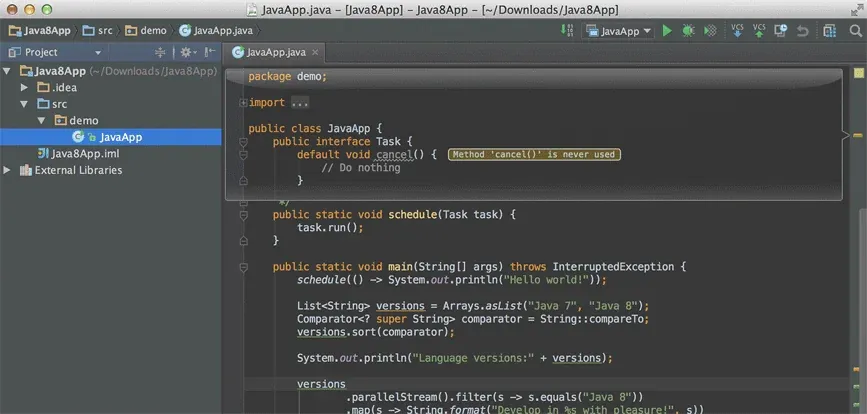
IntelliJ IDEA is known for its user-friendly interface. Instead of getting lost in complex menus, you can easily reach the tools and features you need. Beyond that, IntelliJ IDEA's refactoring tools are very powerful. These tools help you build a cleaner and more maintainable structure while improving the quality of your code. This feature provides great convenience especially in large projects.Performance and Speed
Many developers are quite satisfied with IntelliJ IDEA's performance. Most of the time, the slowdowns experienced on platforms such as Eclipse are at a minimum on IntelliJ IDEA. In addition, the IDE's startup time is shorter and resource management is quite efficient.Conclusion
The choice of IDE for Android development is very important. If you are looking for a quick setup, strong integration and a more efficient working environment, IntelliJ IDEA is an excellent alternative. Thanks to Android SDK and emulator integration, IntelliJ IDEA enables you to develop your projects quickly, and with the refactoring tools it offers, you can continuously improve your code.Images from the article

Why this topic matters in 2026
In Turkey, the mobile technologies field went through three core shifts between 2024-2026: (1) mobile-first user behaviour reached 78% of the market, (2) AI-powered content production and analysis tools entered the mainstream, (3) with KVKK, e-Commerce 2.0 and Turkish Lira improvements, the cost/impact balance of digital presence for SMBs has fundamentally changed. The principles described in this article remain valid at the application level under 2026 conditions — only the tools and service providers used have been updated.
Quick checklist for 2026
- Mobile-first: Test design and content architecture first at 390-430px screen width; desktop is secondary.
- Performance budget: LCP < 2.0s, CLS < 0.05, INP < 150ms — Core Web Vitals 2026 thresholds have tightened.
- AI integration: Embed Claude/GPT-4 class assistants for content production, image optimisation and customer support; not as one-off prompts but as a workflow.
- Legal compliance: KVKK clarification text, cookie consent (TCF v2.2), email opt-in must be double opt-in (DOI).
- Measurement: The trio of GA4 + Meta Conversion API + server-side tracking is now standard; GA4 alone is insufficient.
- Branding: Rather than a single logo, dynamic brand systems (colour, typography, motion) are standing out on social channels.
Next step
To apply the topic of this article to your own project, you can request a free site analysis, send a brief directly, or schedule a one-on-one meeting. I respond to all evaluations within 2 business days, in a KVKK-compliant manner.
The article was first published on 29 Apr 2014, and was revised on 03 May 2026 to reflect 2026 conditions.