"This Username Is Taken!" - Guide to Claiming Inactive Instagram Accounts and Protecting Your Own — post content
Is Your Instagram Account at Risk? Everything About Inactive Account Deletion
Instagram, with its billions of users, is one of the most popular social media platforms in the world. One of the ways to maintain this enormous popularity and keep the user experience fresh is to clean the platform of "ghost" accounts. Yes, you heard right. Instagram has a policy of permanently deleting accounts that meet certain criteria and are flagged as "inactive." This situation can threaten not only empty or fake accounts but also the personal profile you've built with years of effort, full of memories, or your brand's digital identity.
If you don't log in often enough or perform certain activities, you might wake up one morning to find that all your posts, followers, and valuable username have evaporated. This policy applies to everyone regardless of how popular the account is or how many posts it has. So how long does Instagram wait to label an account as "inactive"? What criteria does it consider? Most importantly, how can you prevent your account from being deleted? And the famous question on everyone's mind: Can you really obtain that "inactive" username you want but appears to be taken by someone else?
In this comprehensive guide, we will dive into all the depths of Instagram's inactivity policy, explain how to keep your account safe, and examine your chances of getting your dream username. If you're ready, it's time to safeguard your digital presence.
How Does Instagram Mark an Account as "Inactive"?
The long user agreement we accept when registering with Instagram actually specifies how much authority the platform has over accounts. Instagram reserves the right to apply various sanctions on accounts that don't comply with its policies or that it believes harm the overall health of the platform. These sanctions can range from deleting a post to restricting the account's interaction (shadowban) and ultimately to deleting the account entirely.
Most users aren't aware of the complex algorithms Instagram works with. These algorithms constantly scan users' content, movements, and interactions. When determining whether an account is "active," it doesn't just look at the last login date. It evaluates a series of factors together. Here are the main criteria that cause an account to be caught on the inactivity radar:
- Login Activity: When the account was last logged into is the most basic and important criterion.
- Posting Activity: When the last photo, video, Reel, or Story was shared from the account. An account that has never posted is at greater risk.
- Engagement Activity: Whether the account likes other users' posts, comments, or sends messages. Even passively watching the feed can count as activity, but engaging is a much stronger signal.
- Profile Information Completeness: Whether the account has a profile picture, bio, or website link. A completely empty profile gives the impression of a fake or abandoned account.
- Follower and Following Status: An account having no followers or not following anyone can also be an indicator of inactivity.
Instagram makes a decision about the overall "health" and "activity" of the account by looking at a combination of these factors. Just logging in may be enough, but occasionally liking or posting is the most guaranteed way to prove your account is "alive."
The Real Question: When Does Instagram Delete Inactive Accounts?
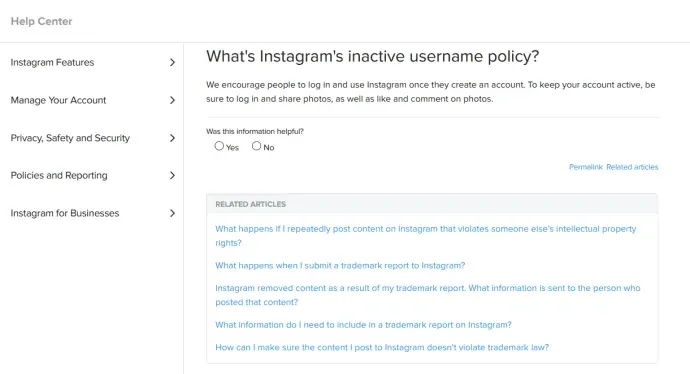
This is the million-dollar question. Instagram has never disclosed a clear and official timeline on this matter. The "Inactive Username Policy" document on the company's help pages advises users to "occasionally log in" to keep their accounts active, but doesn't specify what "occasionally" means.

This ambiguity is actually a deliberate strategy. If Instagram had set a clear rule like "We delete an account if you don't touch it for 2 years," people could keep their usernames indefinitely by just logging in once every 23 months. The platform wants users to be truly active and contribute to the community.
Although there is no official statement, the general consensus based on user experiences and discussions on technology forums is that Instagram tends to delete completely passive accounts (no logins, likes, or posts) within 1 to 2 years. However, this is not a rule. In some cases, accounts that haven't been touched for much longer have continued to exist, while in other cases, they have been deleted in shorter periods. Therefore, it's best not to take the risk.
How Can You Prevent Your Account from Being Deleted? Simple but Effective Methods
If you don't use Instagram every day but don't want to lose your account, memories, and username, you don't need to worry. Keeping your account safe is extremely simple.
- Log in Occasionally: This is the easiest and most basic method. By setting a calendar reminder on your phone to log into your Instagram account once a month or every two months, you will almost completely eliminate the risk of deletion.
- Make a Small Engagement: While logged in, liking a few posts flowing on your home page or giving a quick emoji reaction to a friend's story is the strongest proof that you are active. This action only takes 10 seconds.
- Complete Your Profile: Make sure your account has a profile picture and a short bio. This shows that your account belongs to a "real" person or brand.
As long as you regularly apply these three simple steps, your account will never get caught on Instagram's inactivity radar.
"This Username is Taken!" - Is It Possible to Get an Inactive Username?
That disappointment every Instagram user has experienced: You find the perfect username, but it's already been taken by someone else. What's even more frustrating is what you see when you go to that account: No profile picture, no posts, 0 followers, 0 following... A "ghost" account that seems to have been abandoned for years. Can you take this username and make it your own?
Answer: Maybe. But the process is not simple and there's no guarantee.
Instagram's official policy says that usernames cannot be transferred or taken from one user and given to another. However, there is one exception: Trademark Infringement. If you have a registered trademark and another account is using your brand name as a username, you can claim this username through legal channels. This is not a valid method for individual users.
So, what can you do as an individual user?
Inactive Account Reporting Strategy
Your only option is to report that account to the platform, considering that it violates Instagram's inactivity and community rules. After reviewing this report, if Instagram decides that the account has truly been abandoned and is taking up unnecessary space on the platform, it may delete the account. When the account is deleted, the username becomes available again, and if you're the first to grab it, you can have it.
Steps to Follow:
- Conduct Due Diligence: Examine the profile of the account you're targeting in detail. Look at information such as profile picture, number of posts, follower/following count, and last post date (if any). If the account is completely empty and hasn't shown activity for years, your hand is stronger.
- Report the Account: Go to the account's profile, tap the three dots in the top right corner, select the "Report" option. As the reason for reporting, options like "Spam" or "Violates Community Guidelines" are typically selected.
- Wait Patiently: Instagram's review of this report may take weeks or even months. The only thing you can do during this process is wait.
- Check Regularly: Check at regular intervals whether the username has become available. If you see one day that you can take that username, you're lucky!
However, remember that there is no guarantee Instagram will delete that account. The platform may not decide that the account is inactive or may not find your report valid. So it's beneficial not to keep your hopes too high.
I Can't Log Into My Account, What Should I Do?
Sometimes the issue isn't inactivity but loss of access to the account. If you've forgotten your password, no longer have access to your registered email or phone number, or if your account has been hacked, don't panic. There are several recovery methods you can try:
- Try Different Login Methods: Try logging in with your phone number instead of your password, or with your Facebook account if linked.
- Use the "Get Help Logging In" Option: By clicking this link on the login screen, follow Instagram's instructions. It will offer you various options to verify your identity.
- Try to Regain Access to Your Email Account: If the issue is just that you've forgotten your email password, focus on resetting your password through your email provider first.
- Identity Verification: Instagram may ask you to send a photo of yourself with a paper bearing a code on it to prove the account is yours. This is one of the most reliable recovery methods.
Conclusion: Don't Forget to Log In!
The secret to protecting your Instagram account and valuable username is actually very simple: make your presence felt. A few seconds of login and a like once a month is enough to protect years of work. If you've set your sights on a username, you can try your luck with a patient strategy, but the best way is to use your creativity to create a unique and new identity of your own. Remember, existing in the digital world is possible not just by opening an account, but by keeping that account alive.