How to Unfollow All Accounts on Instagram — post content
Instagram Cleanup: Safe Ways to Bulk Unfollow and Dangerous Shortcuts
Your Instagram feed was once an inspiring, fun, and personal place. But over the years, it has filled up with hundreds, even thousands, of accounts you don't even remember following: brands you no longer care about, old friends who stopped posting, pages you followed for giveaways, and spam-filled profiles... Your feed has become so crowded that the content you actually want to see gets lost in this noise. That's when that magical idea pops into your head: "I wish I could unfollow everyone with a single button!"
When you do a quick Google search, you'll come across dozens of apps and websites that promise just that: "Unfollow Everyone with One Click!", "Instagram Bulk Unfollow Tool"... Sounds great, right? Unfortunately, the reality is much different and dangerous. In this article, we will deeply examine why these "magical" apps are a ticking time bomb for your account, Instagram's strict policies, the safe and manual ways to unfollow everyone, and what to watch out for while cleaning up your feed. If you're ready, let's safely learn how to give your Instagram profile the fresh start it deserves.
"Bulk Unfollow" Apps: Why You Should Stay Away
You can find countless apps and websites on the internet that claim to offer this service. But let's be very clear at this point: There is NO legitimate, working, or Instagram-approved app that allows you to safely unfollow all accounts on Instagram at once.
Most of these apps and sites may have once worked by exploiting loopholes in Instagram's API (Application Programming Interface). However, Instagram has been waging a relentless war against such automation tools for years to protect the security and user experience of the platform. They constantly update their APIs to prevent such applications from working. So why do these apps still exist and why are they so dangerous?
- Data Theft (Phishing): For these apps to work, they need to ask you to enter your Instagram username and password. The moment you provide this information, you hand over the keys to your account to a stranger. Your account can be stolen, spam posts can be made in your name, or your personal information can be misused.
- Account Restriction or Banning: Instagram's algorithms are extremely advanced at detecting non-human, bot-like activities. An account unfollowing hundreds of people in a short period of time is typical automation behavior. When Instagram notices this activity, it flags your account as "suspicious." This can lead to your account being temporarily blocked (unable to follow, like, or comment for a certain period) or, in the worst case scenario, permanently closed for repeatedly violating policies.
- Fraud: Many of these apps claim to offer their basic functions for free, but ask you to purchase a "premium" version for features like "faster" or "unlimited" unfollowing. When you pay, you either get nothing or your credit card information is stolen. Don't be fooled by inflated ratings and fake reviews on app stores. Real user experiences are usually catastrophic.
Golden Rule: NEVER trust any third-party app or website that asks for your Instagram username and password. No matter how popular they appear on Google Play Store, App Store, or platforms like AirGrow, the risk you take is much greater than the time you'll save.
Realistic Alternatives: Safe Ways to Clean Your Feed
Since there's no magic button, what can we do? Actually, you have two reasonable and safe options ahead of you: Starting over or patiently doing manual cleanup.
Option 1: A Fresh Start - Opening a Brand New Account
If the number of people you follow exceeds thousands and your goal is really to unfollow "everyone," this could be the fastest and most effortless solution. Instead of manually unfollowing hundreds or thousands of accounts, you might consider opening a completely new, clean Instagram account.
- Advantages: You instantly open a clean page. You save a great deal of time and effort. You leave behind all unnecessary follows from the past.
- Disadvantages: You lose your current followers, posts, and username. (You can transfer your followers by announcing your new account before deleting your old one.)
To open a new account, you'll need a new email address or a phone number you haven't used before. This option is quite reasonable, especially for accounts opened for personal use that are now out of control. You can leave your old account as an "archive" and continue your journey by following only the people you really care about with your new account.
Option 2: Manual Method - Taking Control
If you want to keep your current account, posts, and followers, the only safe way is manual cleaning. Although this method takes more time, it gives you full control over who you continue to follow. This is not a "reset" but an "organization" process.
Step-by-Step Manual Unfollowing:
- Open the Instagram app and go to your profile (the profile icon in the bottom right corner).
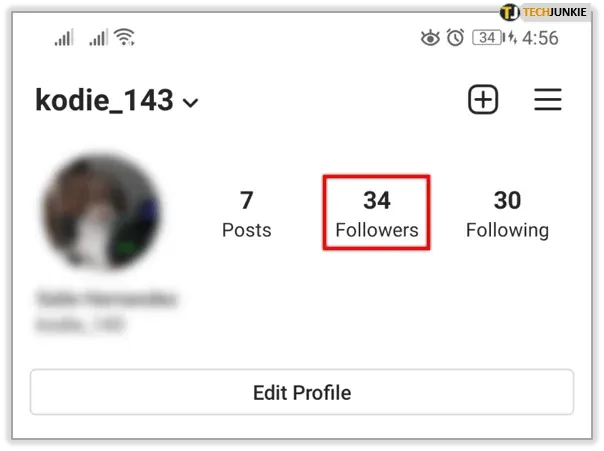
- Tap on the "Following" count at the top of your profile page.
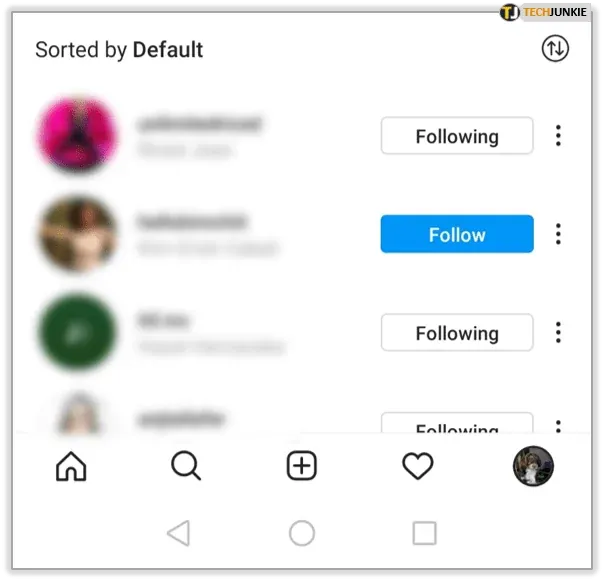
- You will see a list of all the accounts you follow. Next to each account, you will see a button that says "Following."
- Tap the "Following" button next to the account you want to unfollow. The button will change to "Follow." Instagram no longer asks for confirmation; the action is performed instantly.
- Repeat this process for all accounts you want to unfollow.

Strategic Cleanup: Who Should You Unfollow?
When starting your manual cleanup, taking advantage of the categories Instagram offers can make your job easier. When you open your following list, you'll see that Instagram divides accounts into "Least Interacted With" and "Most Shown in Feed."
- Least Interacted With: This list is the best starting point for you. Instagram lists accounts here whose posts you haven't liked, whose stories you haven't watched, or whose profiles you haven't visited for months. You'll likely want to unfollow most of the accounts on this list.
- Most Shown in Feed: This list contains accounts the algorithm shows you the most. If there are accounts on this list that you're tired of seeing or no longer interested in, you can instantly improve the quality of your feed by unfollowing them.
You may also consider cleaning up the following types of accounts:
- Inactive Accounts: Profiles that haven't posted for months or even years.
- Spam Accounts: Accounts that constantly share irrelevant ads or content.
- Those Who Don't Follow You (Optional): If you care about your follower/following ratio, you can unfollow accounts that don't follow you back.
A Very Important Warning: Instagram's Limits
Even when manually unfollowing, you should be careful. Instagram has hourly and daily action limits to prevent spam and bot activities. If you unfollow too many accounts in a short period, Instagram may still perceive this as suspicious activity and impose temporary restrictions on your account.
While there is no official number, the general consensus and safe practice is not to unfollow more than 60 to 100 accounts within an hour. Spreading the cleanup over days or hours is the safest way. For example, you can unfollow 50 accounts every hour or dedicate 15-20 minutes a day to this process. Don't rush, be patient.
Businesses and Follower/Following Ratio
If you use Instagram for personal entertainment, your follower/following ratio may not matter much. But if you are a business, brand, or content creator, this ratio is important for your professional image. A profile that follows 5000 people but only has 500 followers is generally perceived as "spam" or "low quality" and doesn't inspire trust. For a healthy profile, the number of people you follow should be significantly less than your follower count. Therefore, regularly cleaning your following list is also a critical step to protect your brand's digital reputation.
Conclusion: Act Wisely, Protect Your Account
Cleaning your Instagram feed and getting rid of content that doesn't inspire you is a great step to refresh your experience on the platform. However, when doing this cleanup, don't risk your account by falling for dangerous apps that promise "quick fixes." Remember, there is no safe and legitimate way to unfollow everyone on Instagram with one click.
The best approach is to be patient and strategic. Whether you choose to make a completely new start or manually organize your list, control should always be in your hands. Respect Instagram's rules, avoid exceeding limits, and most importantly, always prioritize your digital security. A clean and inspiring feed is just a few taps away!