Create Your Own GIFs for Instagram Stories — post content
Animate Your Brand: A Step-by-Step Guide to Creating GIFs for Instagram Stories
Instagram Stories is an invaluable space for brands to make instant and intimate connections with their target audience. So did you know that one of the most fun and effective ways to take your engagement and brand identity to the top in this space is animated GIF stickers? Yes, you heard it right! You can not only use those GIFs you love that add color to your stories, but you can also design them specifically for your own brand. This goes far beyond a "fun" feature and is a serious marketing tool.
Thanks to branded GIFs, you can direct your followers to important calls to action such as "Swipe Up" or "New Product", organically reach millions with your brand awareness, encourage attendees at an event you organize to share, and most importantly, decorate both your own and your followers' stories with your brand colors. Just imagine, your followers happily using your logo, slogan, or an iconic product of yours in their own posts! This is one of the most natural and powerful word-of-mouth marketing methods imaginable.
So where do you start with this process? Is creating your own branded GIFs a complicated and expensive task? Answer: No! In this comprehensive guide, we'll walk you through the entire process in three simple steps with all the smallest details, from getting your brand account verified on Giphy, to designing eye-catching GIFs, to making them searchable on Instagram. If you're ready, it's time to bring your brand to life and leave an unforgettable mark on Instagram Stories!
Step 1: Create a Verified Brand Channel on Giphy — The Gateway to Instagram
All GIFs and stickers in Instagram Stories are provided by Giphy, the world's largest GIF platform. So if you want your own GIFs to be visible on Instagram, your first and most important step is to create a brand channel on Giphy and apply to have it verified. This is the most critical and sometimes the most challenging step in the process, so let's proceed carefully.
Why Is a Verified Channel Required? Giphy lets anyone upload GIFs, but those GIFs only stay on the Giphy platform. For your GIFs to be visible in the search engines (APIs) of social media platforms such as Instagram, TikTok, and Twitter, you need to have "Verified Brand Channel" or "Verified Artist Channel" status. The only option for brands is to apply for a brand channel because Giphy doesn't allow artist channels to host GIFs for commercial purposes.
The Giphy Brand Channel Application Process
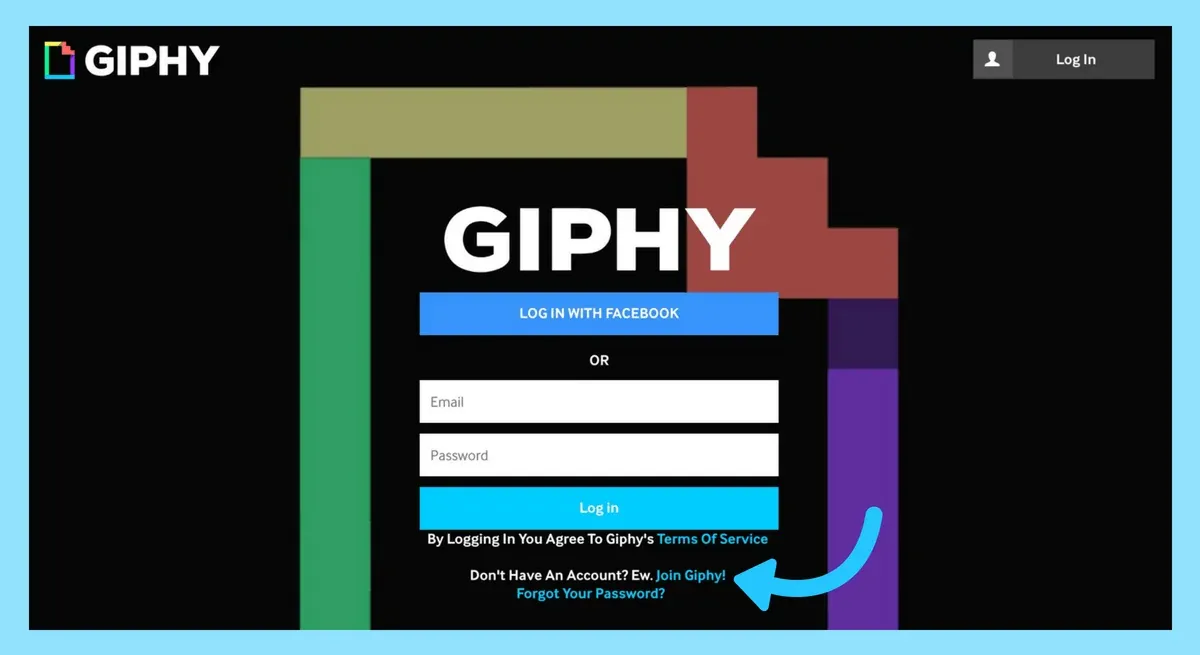
- Join Giphy: Go to Giphy.com. Click the "Log In" button in the top right and then the "Join Giphy" link in the window that opens.
- Apply as a Brand: Click the "Join as an Artist or Brand" option you'll see at the bottom of the account creation form. On the next screen, select the "Brand" option.
- Fill in the Form Completely: This step is the most important. When evaluating applications, Giphy wants to understand the brand's authenticity and seriousness.
- Email Address: Be sure to use an email address from your company domain (for example,
yourname@yourcompany.com). Applications made with free email services such as Gmail or Hotmail are very unlikely to be approved. - Username: Choose a username that is identical or very similar to your brand name.
- Website: Having a working and professional-looking website is almost mandatory.
- Social Media Profile: Add a link to an active social media account belonging to your brand (preferably Instagram).
- Email Address: Be sure to use an email address from your company domain (for example,
- Submit the Application and Wait: After filling out the form, click the "Apply Now" button. Giphy will send a confirmation message and email that your application has been received. The approval process can take from a few days to a few weeks. You should be patient during this period.

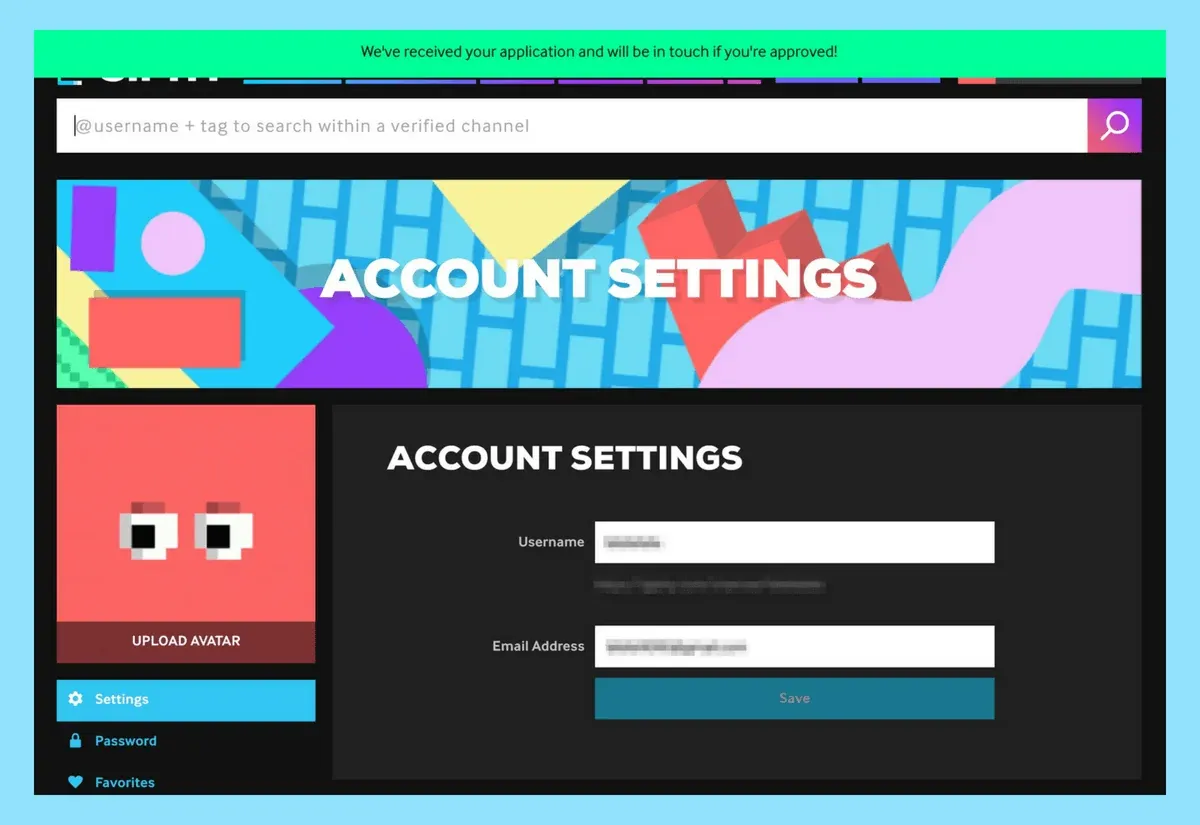
While waiting for approval, you can start setting up your channel. Add your profile picture, cover photo, About section, and information such as a website to give your channel a professional look. When you're approved, your Giphy channel will also offer you a custom "analytics dashboard". From this panel, you can track the total view count of your GIFs and analyze which of your GIFs are more popular to shape your future strategy.
Step 2: Design Eye-Catching GIFs and Upload Them to Giphy
Congratulations, your channel is approved! Now it's time for the most fun part: creating and uploading your GIFs. But there's a very important technical detail to be aware of here: GIFs that will be used as stickers on Instagram are different from regular GIFs. These are called "Stickers".
What's the Difference Between a GIF and a Sticker?
A regular GIF is an animation moving inside a rectangular frame and has a background. A Sticker, on the other hand, is a cut-out (decoupé) animation with a transparent background. For it to be pasted on top of an object on Instagram, it needs to have no background. If you're designing in a program like Photoshop, you can create a sticker by hiding the background layer and exporting as a GIF with the "Transparency" option active.
Technical Specs and Style Tips
Giphy offers some technical rules and style suggestions for the stickers you'll upload:
- File Format: Upload your files in
.GIFformat. (APNG format is not supported.) - Transparency: For a file to be recognized as a sticker, at least 20% of its pixels must be transparent. It should not have a fully opaque background.
- Size: It is usually ideal to be 500-600 pixels wide and tall. Make sure the height and width values are even numbers.
- Color Mode: Your file must be in RGB color mode.
- Loop: Set the loop option to "Forever" when exporting your GIF.
What Kind of GIFs Should You Strategically Design?
Just animating your logo can be a start, but the real potential lies in designing GIFs that will enrich users' stories. Ask yourself: "What kind of animated sticker would my followers want to add to their stories?"
- Branded Calls to Action: Design directive texts such as "Swipe Up", "New Post", "Link in Bio", "Shop Now" with your own brand fonts and colors.
- Iconic Products or Mascots: If you have a product, character, or mascot identified with your brand, make fun animations of them.
- Slogans and Brand Phrases: Turn your brand's slogan or popular phrases your customers use into animated text.
- Emotions and Reactions: Create character animations appropriate for your brand identity that reflect people's reactions (joy, surprise, laughter, etc.).
- Special for Events and Campaigns: Capture the spirit of the moment by designing temporary GIFs for an event you're organizing, a launch, or a special campaign.
Step 3: The Art of Tagging, Testing, and Promotion
You've designed great stickers and uploaded them to your Giphy channel. So how will people find them on Instagram? Answer: Tags.
Why Is Correct Tagging Vital?
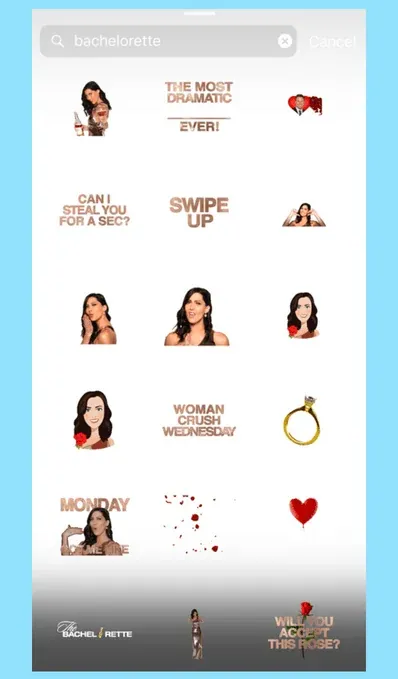
When a user types a word into the GIF search bar in Instagram Stories, Giphy shows the stickers with tags matching that word. So tagging is the most critical step for your GIFs to be discovered.
- Enter 5-10 Tags for Each GIF: Add at least 5-10 relevant tags to each sticker you upload. For example, for a sticker that says "New Product", your tags could be:
new product, new, shop, shopping, a, e, i, u(adding letters even without Turkish characters increases discoverability). - Add Your Brand Tag: One of the most important steps is to add your own brand name as a tag to all your stickers. For example, all our GIFs have the "dogucanguler" tag. This way, your followers can reach your entire GIF collection from one place by typing only your brand name into the search bar.
- Use Popular Search Terms: According to Giphy, the most popular search terms include words such as
love, happy, heart, dance, cat, sad, dog, crying, birthday, party, lol, food. If your GIF is related to one of these themes, you can reach a wider audience by using these popular tags.
Test and Announce!
After uploading and tagging your GIFs, it can take some time for Instagram to update Giphy's API and for your stickers to become visible in searches. This time can usually vary from a few hours to a week. Therefore, if you're planning a special launch, it's beneficial to upload your GIFs in advance.
Once your stickers are visible, test them in your own Instagram Stories right away! Create a story, open the sticker menu, tap the GIF option, search for your brand name or one of the tags you used, and find and use your own creations.
As a final step, don't forget to announce this great new feature to your followers! Share one or several stories showing your new GIFs. With a description like "We now have our own GIFs! You can find and use them in your stories by searching 'BrandName'!", encourage them to use your stickers in their own stories. This will both increase engagement and let you spread organically through your brand ambassadors.


