15 Awesome Chrome Extensions for Web Designers and Developers — post content
We have great browsers that increasingly include more extensions, plug-ins, and add-ons. Thanks to these extensions, they can help us make our work stronger in speed and creativity and increase our productivity. With my desire to bring you the best resources and tools on the web, I have prepared a series of articles on our blog featuring the best extensions and plug-ins for major browsers. We focus on extensions that are available for free in the Chrome Web Store and are easy to install.
Among the tools, we highlight those most useful for web designers and developers. We hope you find them very useful and that they help you get better results.
 View on the Chrome Store
The easiest way to identify fonts on web pages
What is the easiest way to find fonts used on a web page? Firebug and Webkit Inspector are easy enough to use for developers. But for others, it shouldn't have to be. With this extension, you can examine web fonts just by hovering over them. As simple and elegant as that.
It also detects the services used to serve web fonts. It supports Typekit and the Google Font API.
WhatFont, embracing the new web font era, also detects the services used to serve fonts. It now supports Typekit and the Google Font API.
View on the Chrome Store
The easiest way to identify fonts on web pages
What is the easiest way to find fonts used on a web page? Firebug and Webkit Inspector are easy enough to use for developers. But for others, it shouldn't have to be. With this extension, you can examine web fonts just by hovering over them. As simple and elegant as that.
It also detects the services used to serve web fonts. It supports Typekit and the Google Font API.
WhatFont, embracing the new web font era, also detects the services used to serve fonts. It now supports Typekit and the Google Font API.
 View on the Chrome Store
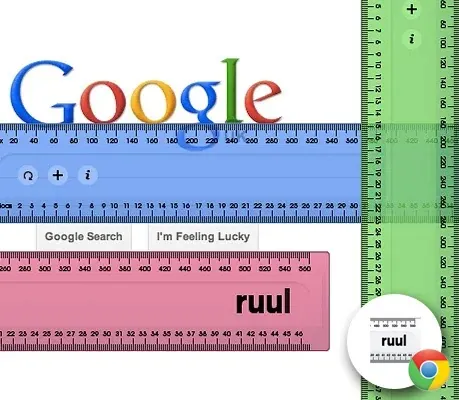
An exceptionally simple screen ruler for aligning and measuring fonts, line height, strokes, and almost anything on the web.
Get pixel perfect with: horizontal and vertical draggable rulers; pixel, picas, and font measurements, line height guides, and stroke widths. Move ruul one pixel at a time using arrow keys, and use multiple rulers together. Ruul has a ruul, steel, and wooden ruler in 4 different colors.
View on the Chrome Store
An exceptionally simple screen ruler for aligning and measuring fonts, line height, strokes, and almost anything on the web.
Get pixel perfect with: horizontal and vertical draggable rulers; pixel, picas, and font measurements, line height guides, and stroke widths. Move ruul one pixel at a time using arrow keys, and use multiple rulers together. Ruul has a ruul, steel, and wooden ruler in 4 different colors.
 View on the Chrome Store
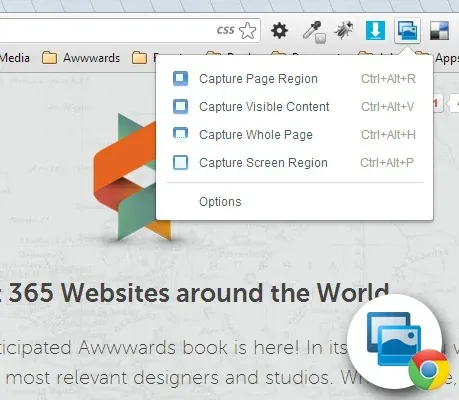
Capture the visible content of a tab, a region of a web page, or the whole page as a PNG image. Supports horizontal and vertical scrolling…
It's easy to use this extension to capture the visible content of a tab, a region of a web page, or the whole page as a PNG image.
Plus, you can edit the image you've taken before saving it as a PNG image. Text highlighting, correction, and adding are supported.
The features that distinguish this extension from others are: super fast especially when capturing the page image. for large pages; supports horizontal scrolling for large pages that don't fit horizontally on a single tab screen; intelligently detects floating objects on a page and avoids repeatedly capturing the same floating objects if a full-page capture requires scrolling; works on Windows, Linux, and Mac.
View on the Chrome Store
Capture the visible content of a tab, a region of a web page, or the whole page as a PNG image. Supports horizontal and vertical scrolling…
It's easy to use this extension to capture the visible content of a tab, a region of a web page, or the whole page as a PNG image.
Plus, you can edit the image you've taken before saving it as a PNG image. Text highlighting, correction, and adding are supported.
The features that distinguish this extension from others are: super fast especially when capturing the page image. for large pages; supports horizontal scrolling for large pages that don't fit horizontally on a single tab screen; intelligently detects floating objects on a page and avoids repeatedly capturing the same floating objects if a full-page capture requires scrolling; works on Windows, Linux, and Mac.
 View on the Chrome Store
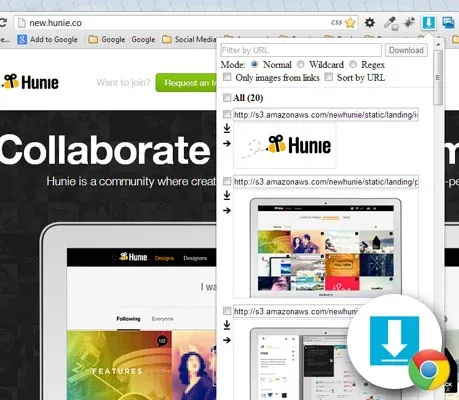
View and download all the images shown or linked on a web page.
If you need to download images in bulk from a web page, with this extension you can: see images contained and linked on the page, filter or sort by URL; it also supports wildcards and regular expressions, optionally show only images from links, select images to download using checkboxes or by clicking directly on the image, special buttons to download or open individual images in a new tab, customize image width, border size, style, and color, hide filters, buttons, and notifications you don't need
When you press the "Download" button, all selected images are saved to Chrome's default download directory. If there isn't one, you'll have to manually choose the save location for each image.
View on the Chrome Store
View and download all the images shown or linked on a web page.
If you need to download images in bulk from a web page, with this extension you can: see images contained and linked on the page, filter or sort by URL; it also supports wildcards and regular expressions, optionally show only images from links, select images to download using checkboxes or by clicking directly on the image, special buttons to download or open individual images in a new tab, customize image width, border size, style, and color, hide filters, buttons, and notifications you don't need
When you press the "Download" button, all selected images are saved to Chrome's default download directory. If there isn't one, you'll have to manually choose the save location for each image.
 View on the Chrome Store
Save all the content you find interesting on the web to your account.
From interests to research, save everything you see online — including text, links, and images — to your Evernote account with a single click. Clip a portion or all of any web page, including text, images, and links, with a single click. Collect everything that inspires you online. Have it forever, even if the original disappears.
View on the Chrome Store
Save all the content you find interesting on the web to your account.
From interests to research, save everything you see online — including text, links, and images — to your Evernote account with a single click. Clip a portion or all of any web page, including text, images, and links, with a single click. Collect everything that inspires you online. Have it forever, even if the original disappears.
 View on the Chrome Store
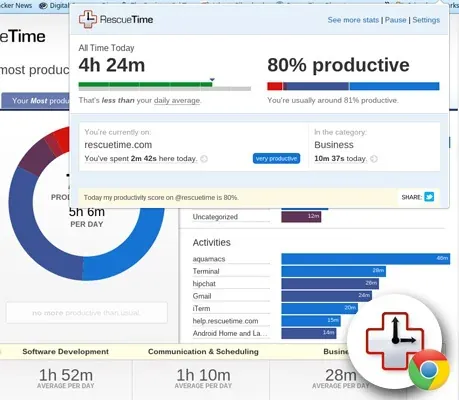
RescueTime is a personal analytics service that helps you understand how you spend your time.
RescueTime is a personal analytics service that helps you understand how you spend your time on your computer, smartphone, and tablet. No manual data entry needed. The web app works in conjunction with the installable client available for OS X, Windows, Linux, Android devices, and ChromeOS.
View on the Chrome Store
RescueTime is a personal analytics service that helps you understand how you spend your time.
RescueTime is a personal analytics service that helps you understand how you spend your time on your computer, smartphone, and tablet. No manual data entry needed. The web app works in conjunction with the installable client available for OS X, Windows, Linux, Android devices, and ChromeOS.
Pinterest for Google Chrome
View on the Chrome Web Store
Discover, collect, and share inspiration
Pinterest is a tool for finding your inspiration and sharing it with others. Use it to collect things you love, organize and plan important projects, and more.
The official Pinterest extension for Google Chrome adds a button to your browser that lets you pin from any website quickly and easily
Web Developer
View on the Chrome Web Store
Adds a toolbar button with various web developer tools. The official port of the Web Developer extension for Firefox.
Adds a toolbar button with various web developer tools. The official port of the Web Developer extension for Firefox.
The Web Developer extension adds a toolbar button to the browser with various web developer tools. This is the official port of the Web Developer extension for Firefox.
Stylebot
View on the Chrome Web Store
Customize the appearance of the web.
Stylebot lets you quickly change the appearance of any website (using custom CSS).
You select an element and choose the changes you want to make from the editor. You can change font size, color, margins, visibility, and much more. Advanced users can also write CSS manually.
Using Stylebot, you can personalize the look and feel of your favorite websites. It's also a great tool for learning CSS and debugging the design of your own site.
Alexa Traffic Rank
View on the Chrome Web Store
The official Alexa Traffic Rank Extension provides Alexa Traffic Rank and site Information when clicked.
Alexa Traffic Rank is the free Alexa Internet extension for Chrome and the only extension that includes you in Alexa's traffic panel. The Alexa extension accompanies you as you browse and provides you with Alexa data about the sites you visit without interrupting your browsing.
Get a site's Alexa Traffic Rank and linking sites quickly and easily. How does this site's traffic compare to other sites on the web?
 View on the Chrome Web Store
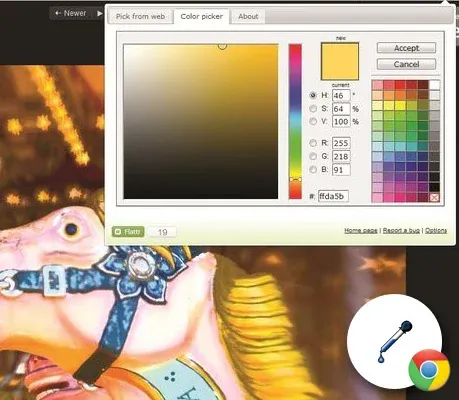
Eye Dropper is an open-source extension that lets you pick colors from web pages.
Eye Dropper is an open-source extension that lets you pick colors from web pages, the color picker, and your personal color history.
Eye Dropper is an extension for Google Chrome and Chromium. It lets you pick a color from any web page or from the advanced color picker. It's a great tool for web developers.
View on the Chrome Web Store
Eye Dropper is an open-source extension that lets you pick colors from web pages.
Eye Dropper is an open-source extension that lets you pick colors from web pages, the color picker, and your personal color history.
Eye Dropper is an extension for Google Chrome and Chromium. It lets you pick a color from any web page or from the advanced color picker. It's a great tool for web developers.
Resolution Test
View on the Chrome Web Store
An extension for developers to test web pages at different screen resolutions
An extension for developers to test web pages at different screen resolutions and an option to define your own resolutions.
Resolution Test changes the size of the browser window so developers can preview their websites at different screen resolutions. It includes a list of commonly used resolutions and the ability to customize this list. It also provides users with the option to launch Google Browser Size — more about that here: http://browsersize.googlelabs.com/
 View on the Chrome Web Store
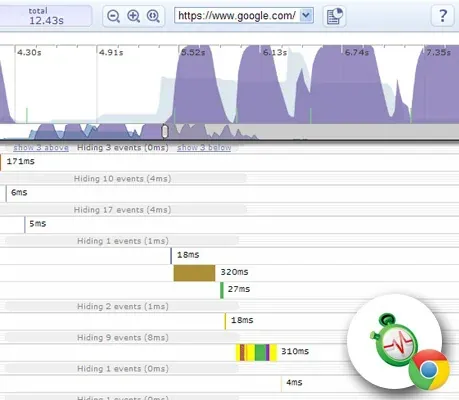
Get information about your web applications' performance.
Speed Tracer is a tool that helps you identify and fix performance issues in your web applications. It visualizes measurements taken from low-level instrumentation points within the browser and analyzes them as your application runs.
Using Speed Tracer, you can get a better idea of where time is being spent in your application. This includes problems caused by: Javascript parsing and execution, Layout, CSS style recalculation and selector matching, DOM Event handling, Network resource loading, Timer firings, XMLHttpRequest callbacks, Painting, and more.
View on the Chrome Web Store
Get information about your web applications' performance.
Speed Tracer is a tool that helps you identify and fix performance issues in your web applications. It visualizes measurements taken from low-level instrumentation points within the browser and analyzes them as your application runs.
Using Speed Tracer, you can get a better idea of where time is being spent in your application. This includes problems caused by: Javascript parsing and execution, Layout, CSS style recalculation and selector matching, DOM Event handling, Network resource loading, Timer firings, XMLHttpRequest callbacks, Painting, and more.
 View on the Chrome Web Store
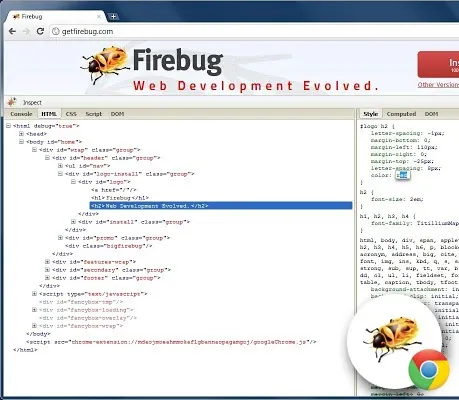
Firebug Lite for Google Chrome supported by the Firebug Working Group.
Firebug Lite is not a substitute for Firebug or Chrome Developer Tools. It is a tool to be used together with these tools. Firebug Lite provides the rich visual representation we are accustomed to seeing in Firebug when it comes to HTML elements, DOM elements, and Box Model shading. It also provides some great features such as inspecting HTML elements with your mouse and live editing CSS properties.
For more details, visit: http://getfirebug.com/releases/lite/chrome/
View on the Chrome Web Store
Firebug Lite for Google Chrome supported by the Firebug Working Group.
Firebug Lite is not a substitute for Firebug or Chrome Developer Tools. It is a tool to be used together with these tools. Firebug Lite provides the rich visual representation we are accustomed to seeing in Firebug when it comes to HTML elements, DOM elements, and Box Model shading. It also provides some great features such as inspecting HTML elements with your mouse and live editing CSS properties.
For more details, visit: http://getfirebug.com/releases/lite/chrome/
 View on the Chrome Web Store
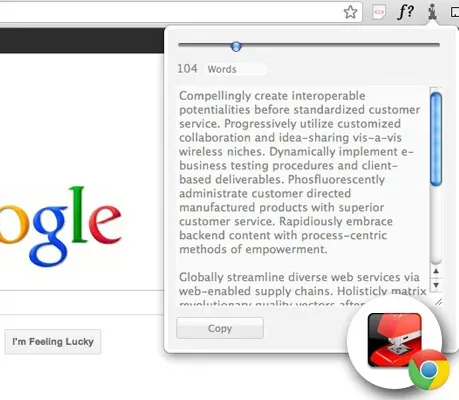
Generate random corporate doublespeak to use as filler text.
A corporate-leaning lorem ipsum generator. Generates filler content by word or paragraph.
This is a copy of Brian Haslanger's Corporate Ipsum dashboard widget for Google Chrome (with permission).
Efficiently capture vortices integrated with established core methodologies. Synergistically organize leveraged data with intuitive action items. Proactively develop tactical services and interoperable networks. Efficiently establish corporate potentials in interoperable e-commerce. Generate worldwide solutions through principle-centered human capital.
View on the Chrome Web Store
Generate random corporate doublespeak to use as filler text.
A corporate-leaning lorem ipsum generator. Generates filler content by word or paragraph.
This is a copy of Brian Haslanger's Corporate Ipsum dashboard widget for Google Chrome (with permission).
Efficiently capture vortices integrated with established core methodologies. Synergistically organize leveraged data with intuitive action items. Proactively develop tactical services and interoperable networks. Efficiently establish corporate potentials in interoperable e-commerce. Generate worldwide solutions through principle-centered human capital.
Best Google Chrome Extensions for Web Designers and Developers:
WhatFont
View on the Chrome Store
The easiest way to identify fonts on web pages
What is the easiest way to find fonts used on a web page? Firebug and Webkit Inspector are easy enough to use for developers. But for others, it shouldn't have to be. With this extension, you can examine web fonts just by hovering over them. As simple and elegant as that.
It also detects the services used to serve web fonts. It supports Typekit and the Google Font API.
WhatFont, embracing the new web font era, also detects the services used to serve fonts. It now supports Typekit and the Google Font API.
ruul. Screen Ruler
View on the Chrome Store
An exceptionally simple screen ruler for aligning and measuring fonts, line height, strokes, and almost anything on the web.
Get pixel perfect with: horizontal and vertical draggable rulers; pixel, picas, and font measurements, line height guides, and stroke widths. Move ruul one pixel at a time using arrow keys, and use multiple rulers together. Ruul has a ruul, steel, and wooden ruler in 4 different colors.
Screen Capture (by Google)
View on the Chrome Store
Capture the visible content of a tab, a region of a web page, or the whole page as a PNG image. Supports horizontal and vertical scrolling…
It's easy to use this extension to capture the visible content of a tab, a region of a web page, or the whole page as a PNG image.
Plus, you can edit the image you've taken before saving it as a PNG image. Text highlighting, correction, and adding are supported.
The features that distinguish this extension from others are: super fast especially when capturing the page image. for large pages; supports horizontal scrolling for large pages that don't fit horizontally on a single tab screen; intelligently detects floating objects on a page and avoids repeatedly capturing the same floating objects if a full-page capture requires scrolling; works on Windows, Linux, and Mac.
Image Downloader
View on the Chrome Store
View and download all the images shown or linked on a web page.
If you need to download images in bulk from a web page, with this extension you can: see images contained and linked on the page, filter or sort by URL; it also supports wildcards and regular expressions, optionally show only images from links, select images to download using checkboxes or by clicking directly on the image, special buttons to download or open individual images in a new tab, customize image width, border size, style, and color, hide filters, buttons, and notifications you don't need
When you press the "Download" button, all selected images are saved to Chrome's default download directory. If there isn't one, you'll have to manually choose the save location for each image.
Evernote Web Clipper
View on the Chrome Store
Save all the content you find interesting on the web to your account.
From interests to research, save everything you see online — including text, links, and images — to your Evernote account with a single click. Clip a portion or all of any web page, including text, images, and links, with a single click. Collect everything that inspires you online. Have it forever, even if the original disappears.
RescueTime for Google Chrome ™
View on the Chrome Store
RescueTime is a personal analytics service that helps you understand how you spend your time.
RescueTime is a personal analytics service that helps you understand how you spend your time on your computer, smartphone, and tablet. No manual data entry needed. The web app works in conjunction with the installable client available for OS X, Windows, Linux, Android devices, and ChromeOS.
Pinterest for Google Chrome
View on the Chrome Web Store
Discover, collect, and share inspiration
Pinterest is a tool for finding your inspiration and sharing it with others. Use it to collect things you love, organize and plan important projects, and more.
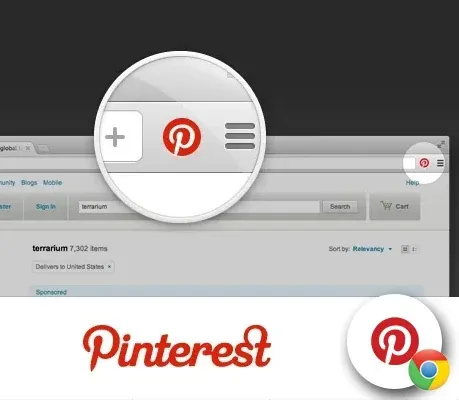
The official Pinterest extension for Google Chrome adds a button to your browser that lets you pin from any website quickly and easily
Web Developer
View on the Chrome Web Store
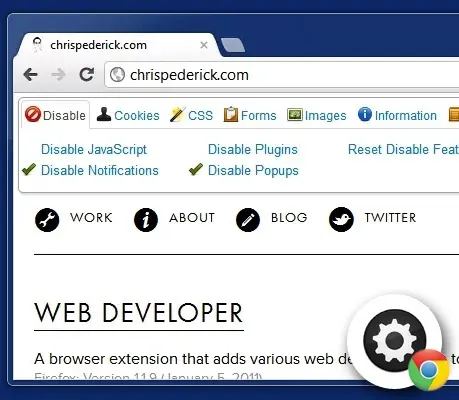
Adds a toolbar button with various web developer tools. The official port of the Web Developer extension for Firefox.
Adds a toolbar button with various web developer tools. The official port of the Web Developer extension for Firefox.
The Web Developer extension adds a toolbar button to the browser with various web developer tools. This is the official port of the Web Developer extension for Firefox.
Stylebot
View on the Chrome Web Store
Customize the appearance of the web.
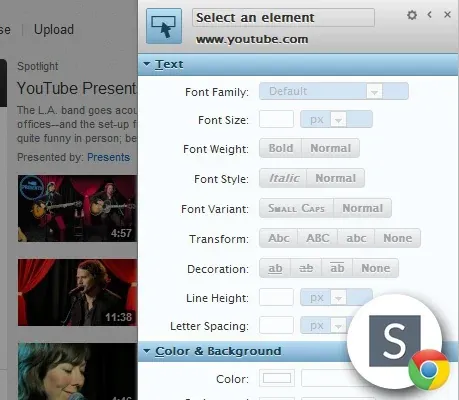
Stylebot lets you quickly change the appearance of any website (using custom CSS).
You select an element and choose the changes you want to make from the editor. You can change font size, color, margins, visibility, and much more. Advanced users can also write CSS manually.
Using Stylebot, you can personalize the look and feel of your favorite websites. It's also a great tool for learning CSS and debugging the design of your own site.
Alexa Traffic Rank
View on the Chrome Web Store
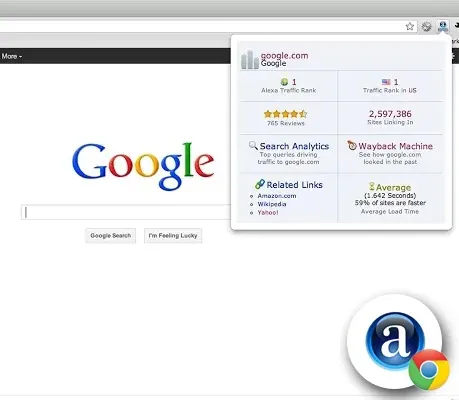
The official Alexa Traffic Rank Extension provides Alexa Traffic Rank and site Information when clicked.
Alexa Traffic Rank is the free Alexa Internet extension for Chrome and the only extension that includes you in Alexa's traffic panel. The Alexa extension accompanies you as you browse and provides you with Alexa data about the sites you visit without interrupting your browsing.
Get a site's Alexa Traffic Rank and linking sites quickly and easily. How does this site's traffic compare to other sites on the web?
Eye Dropper
View on the Chrome Web Store
Eye Dropper is an open-source extension that lets you pick colors from web pages.
Eye Dropper is an open-source extension that lets you pick colors from web pages, the color picker, and your personal color history.
Eye Dropper is an extension for Google Chrome and Chromium. It lets you pick a color from any web page or from the advanced color picker. It's a great tool for web developers.
Resolution Test
View on the Chrome Web Store
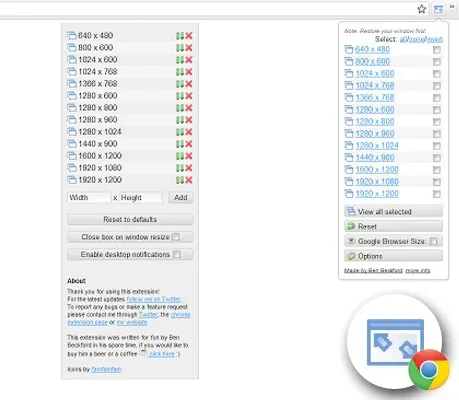
An extension for developers to test web pages at different screen resolutions
An extension for developers to test web pages at different screen resolutions and an option to define your own resolutions.
Resolution Test changes the size of the browser window so developers can preview their websites at different screen resolutions. It includes a list of commonly used resolutions and the ability to customize this list. It also provides users with the option to launch Google Browser Size — more about that here: http://browsersize.googlelabs.com/
Speed Tracer (by Google)
View on the Chrome Web Store
Get information about your web applications' performance.
Speed Tracer is a tool that helps you identify and fix performance issues in your web applications. It visualizes measurements taken from low-level instrumentation points within the browser and analyzes them as your application runs.
Using Speed Tracer, you can get a better idea of where time is being spent in your application. This includes problems caused by: Javascript parsing and execution, Layout, CSS style recalculation and selector matching, DOM Event handling, Network resource loading, Timer firings, XMLHttpRequest callbacks, Painting, and more.
Firebug Lite for Google Chrome ™
View on the Chrome Web Store
Firebug Lite for Google Chrome supported by the Firebug Working Group.
Firebug Lite is not a substitute for Firebug or Chrome Developer Tools. It is a tool to be used together with these tools. Firebug Lite provides the rich visual representation we are accustomed to seeing in Firebug when it comes to HTML elements, DOM elements, and Box Model shading. It also provides some great features such as inspecting HTML elements with your mouse and live editing CSS properties.
For more details, visit: http://getfirebug.com/releases/lite/chrome/
Corporate Ipsum
View on the Chrome Web Store
Generate random corporate doublespeak to use as filler text.
A corporate-leaning lorem ipsum generator. Generates filler content by word or paragraph.
This is a copy of Brian Haslanger's Corporate Ipsum dashboard widget for Google Chrome (with permission).
Efficiently capture vortices integrated with established core methodologies. Synergistically organize leveraged data with intuitive action items. Proactively develop tactical services and interoperable networks. Efficiently establish corporate potentials in interoperable e-commerce. Generate worldwide solutions through principle-centered human capital.